I do not choose AI shopping bots by the label on the homepage. “Bot,” “assistant,” and “agent” get used loosely, and sometimes the same product wears all three names before lunch. I care about something less shiny: what can it do, what data does it need, and can it touch checkout without me approving it?
That is the cleaner way to compare AI shopping tools. A coupon tool that tests promo codes is very different from a shopping assistant that compares laptops, and both are different from an agent that can prepare or complete a purchase. Same category, different risk.
Quick Definitions of Bots, Assistants, and Agents
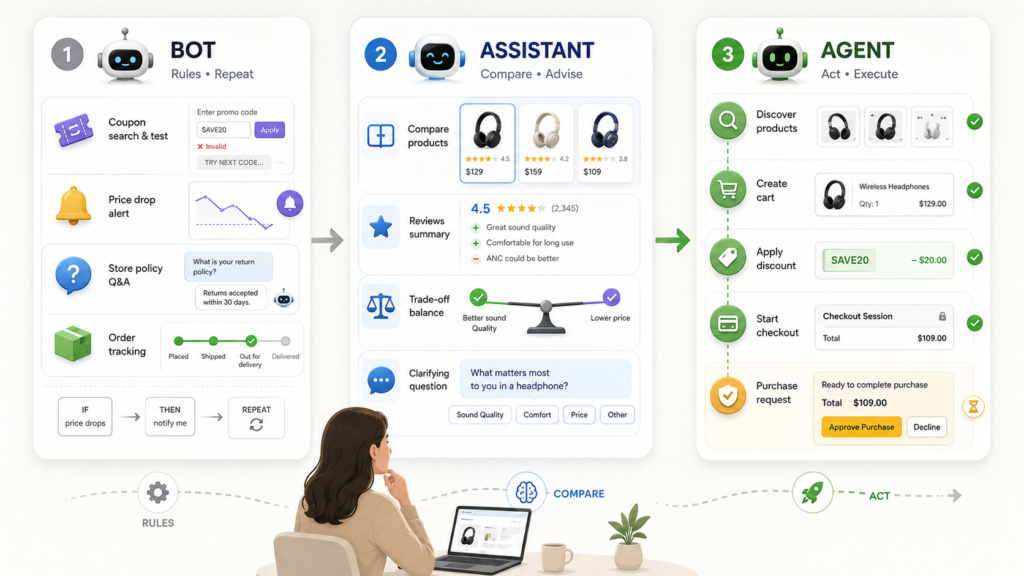
A shopping bot usually handles a narrow, repeatable task. It may search coupons, alert you to a price drop, answer a store policy question, or track an order. The behavior is often rule-based: if you reach checkout, test codes; if price drops, notify.
A shopping assistant helps you think. It can compare products, summarize reviews, explain trade-offs, and ask clarifying questions. The phrase AI shopping assistant vs agent matters here because an assistant can recommend without taking action.
A shopping agent can act across steps. It may discover products, create a cart, apply discounts, start a checkout session, or request a purchase under defined permissions. That is the basic shopping agent meaning I use: not “it chats,” but “it can move the shopping task forward.”
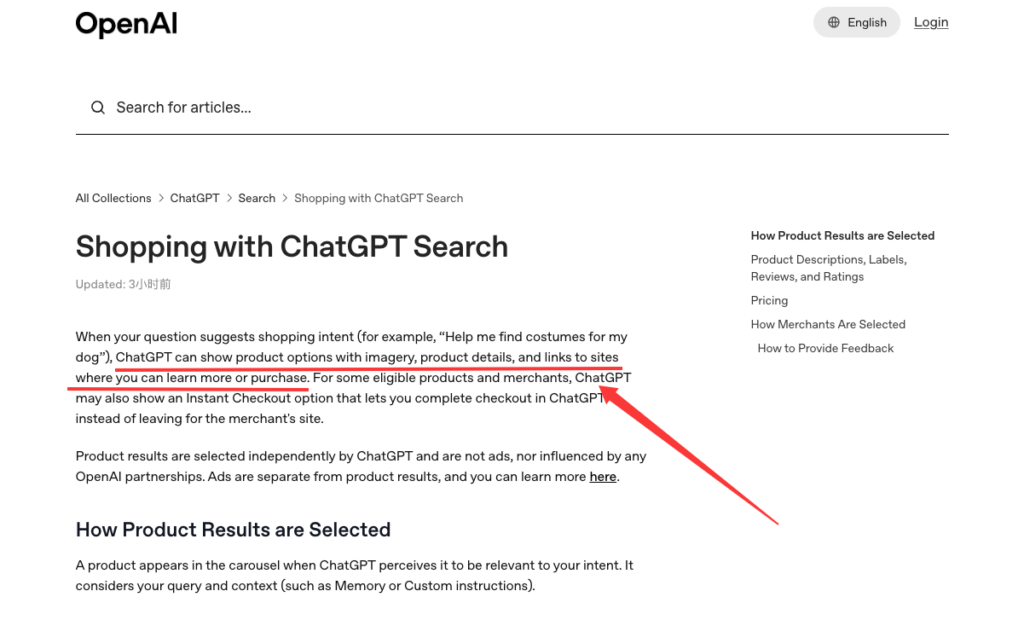
The line is not always clean. OpenAI’s current Shopping with ChatGPT Search can show product options and, for eligible products and merchants, may show Instant Checkout. That means one experience can behave like an assistant in one moment and a checkout tool in another.
Quick answer: use the lowest automation level that solves the job. A coupon scan does not need purchase authority. A full multi-retailer checkout route may need more context, but I still want final payment control.
Comparison Matrix
| Type | Best For | Typical Actions | Data Needed | Checkout Role | Main Risk |
| Shopping bot | Repetitive, narrow tasks | Test codes, send alerts, answer simple questions | Store page, cart page, browser activity | Usually limited to suggestions or code application | Overlooking terms, exclusions, or better routes |
| Shopping assistant | Research and recommendation | Compare products, summarize options, explain trade-offs | Preferences, budget, product criteria | Usually pre-checkout | Confident but incomplete recommendations |
| Shopping agent | Multi-step purchase preparation | Build route, check availability, prepare cart, apply discounts, request purchase | More shopping context, account info, address, payment permission | May prepare or complete checkout, depending on design | Wrong item, wrong merchant, unwanted order, support confusion |
The matrix is simple on purpose. Marketing language gets blurry. Permissions do not.
Autonomy and permitted actions
Autonomy is the first thing I check. Can the tool only suggest? Can it change a cart? Can it apply a coupon? Can it place an order?
A classic coupon bot is narrow. PayPal says the PayPal Honey Shopping Extension can search and test available coupon codes at checkout, then apply a working code when available. That is useful, but it does not make Honey the same thing as a full shopping agent.
An assistant sits higher. It can help decide whether the 256GB phone is enough, whether a marketplace seller looks risky, or whether a cheaper item lacks the warranty you care about.
An agent goes further. Google’s Universal Commerce Protocol describes agentic commerce infrastructure where agents can discover business capabilities, invoke checkout, apply discounts, and interact with payment handlers. That is real action territory.

Data access and personalization
More personalization usually means more data. Not always bad. Just worth naming.
A bot may need browser access to the store page and cart. A shopping assistant may need your budget, product preferences, size, delivery ZIP code, or past conversation context. A more capable agent may need account login, shipping address, wallet permission, loyalty status, and merchant-specific checkout data.
I am not automatically against data sharing. I am against vague data sharing. Before you connect anything, ask: is this data needed for the task, or just nice for the tool?
A price alert does not need your payment method. A card-reward comparison may need card categories, but not necessarily the full card number. A checkout agent may need payment authorization, but that should be scoped to a specific merchant, amount, and order.
Checkout and payment control
Checkout is where the tone changes. Nothing ruins a discount faster than the checkout page.
Gartner’s May 2026 shopping survey found that willingness to let AI make purchase decisions topped out at 11%, even across lower-stakes categories, while more were comfortable with AI helping them narrow choices, compare prices, and identify deals. That tracks with my own rule: let tools reduce work, not quietly take control.
For payment, I want to see:
- Final item, size, model, color, seller, and quantity
- Full total, including tax, shipping, fees, tips, and deposits
- Payment method used
- Whether loyalty, cashback, coupon, or gift card terms change the refund path
- A visible approval step before money moves
An autonomous shopping bot that can buy without a final review may be fine for a low-risk repeat order. Toothpaste, maybe. A $1,200 appliance? I would slow that down.
Which Type Fits Each Shopping Task?
Repetitive rule-based tasks
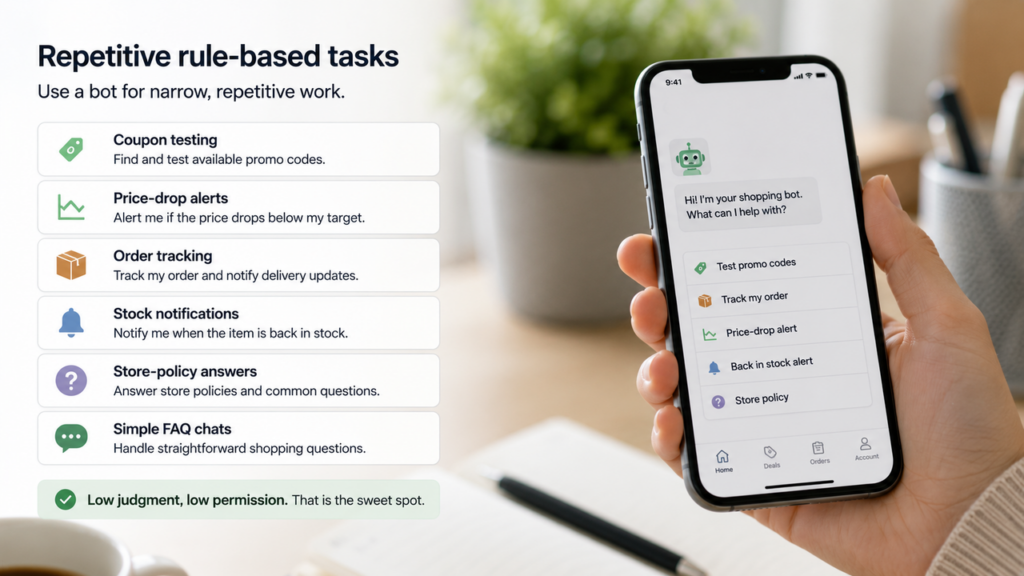
Use a bot for narrow, repetitive work.
Good examples include coupon testing, price-drop alerts, order tracking, stock notifications, store-policy answers, and simple FAQ chats. This is the cleanest shopping bot vs chatbot distinction: a chatbot mainly talks; a shopping bot may take a small action inside a shopping flow.
A bot works best when the rule is clear:
- “Tell me if this price drops below $80.”
- “Test available promo codes at checkout.”
- “Notify me when this size is back in stock.”
- “Track this order and alert me when delivery changes.”
Low judgment, low permission. That is the sweet spot.
Research and recommendation tasks
Use an assistant when the decision needs judgment.
This is where I like AI help for laptops, furniture, beauty products, baby gear, appliances, and travel items. Not because AI knows your life better than you do. It does not. But it can organize options faster than one more browser tab. One more browser tab is not a shopping strategy.
Ask the assistant to explain trade-offs, not just crown a winner:
- Best under $500 with strong return terms
- Best for small apartments
- Best if warranty matters more than lowest price
- Best if delivery must arrive by Friday
- Best if you want the lowest immediate checkout cost
That last phrase matters. I care about the final cost, not the loudest discount.
Multi-step purchase preparation
Use an agent when the job spans multiple steps and the order is worth checking.
A shopping agent can be useful when you need product matching, merchant comparison, coupon checks, cashback estimates, card rewards, shipping, tax, return terms, and payment preparation in one view. This is where Saparo fits best: as a pre-checkout decision layer that can help prepare a route comparison before you decide whether to pay.
I would not use language like “Saparo buys everything for you.” That is the wrong trust signal. The better framing is: Saparo can help compare checkout routes, while the shopper reviews the result and keeps the final payment decision.
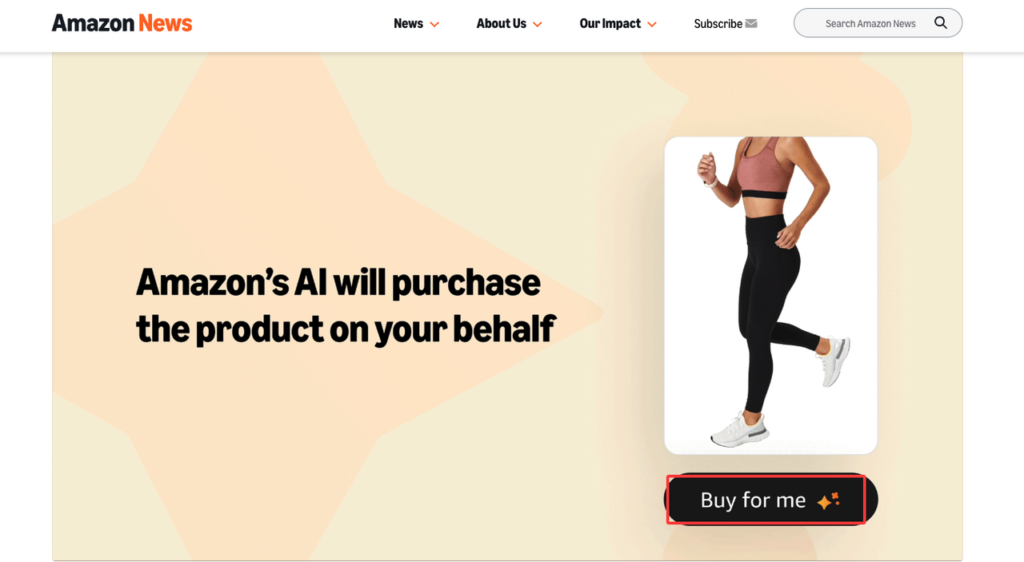
Amazon’s Buy for Me shows how far this can go. In Amazon’s beta, eligible U.S. app users could request Amazon to buy select products from brand websites, confirm order details in Amazon checkout, and then receive order confirmation and support from the brand store. That is much more agent-like than a coupon bot, but it still depends on visible confirmation and merchant support boundaries.
Choosing the Right Automation Level
Data exposure, reversibility, and payment authority
Here is my practical test before using any shopping automation:
| Question | Lower-Risk Answer | Higher-Risk Answer |
| Can the action be reversed? | Price alert, product shortlist, coupon suggestion | Final sale, custom item, nonrefundable booking |
| Does it need sensitive data? | Budget, preferences, ZIP code | Payment credentials, account login, location history |
| Can it change the order? | No, it only suggests | Yes, it can add items or complete checkout |
| Is the purchase expensive? | Low-cost repeat item | High-value, sized, customized, or time-sensitive item |
| Who handles support? | One clear merchant | Several platforms, wallet, agent, and third-party seller |
For simple tasks, keep permissions small. For complex purchases, allow more automation only when the tool shows its work: sources, timestamps, assumptions, exclusions, and final approval.
The deal is not real until it survives checkout. That applies to bots, assistants, and agents.
FAQ
How should merchants identify agent-generated shopping traffic?
Merchants should identify agent-generated traffic through clear agent headers, signed requests, commerce protocols, referral data, and account-level logs where available. The important part is traceability. If an agent viewed products, created a cart, applied a discount, or invoked checkout, the merchant should be able to separate that from ordinary browser traffic.
What logs are needed to investigate duplicate orders?
You want a timeline: user instruction, agent action, cart creation, checkout session ID, payment authorization, merchant order ID, confirmation email, and any retry attempts. Duplicate orders can happen when a timeout, failed confirmation, or repeated checkout request is treated as a new purchase instead of the same task.
Who handles support when several tools participate in one purchase?
The merchant or seller of record is generally responsible for the transaction and refunds, but fulfillment, exchanges, and product support may be handled by another clearly identified party. Card disputes generally start with the card issuer; wallet support depends on the wallet’s role. An AI tool may handle its own recommendation record or task log. Before paying, I would check which company appears on the receipt and who owns the return process.
Can one agent-assisted checkout create multiple merchant receipts?
Yes, it can happen if an agent-assisted route buys from more than one seller, marketplace, or brand site. One cart-like experience does not always mean one merchant receipt. This matters for returns, warranties, loyalty credit, cashback tracking, and support.
Conclusion
The useful way to compare AI shopping bots is not by asking which label sounds smarter. Ask what the tool can do, what data it needs, what it can change, and whether payment stays under your control.
Use bots for repeatable tasks. Use assistants for research and recommendations. Use agents when the purchase has enough moving parts to justify deeper preparation. A good shopping tool should make the checkout decision clearer, not more confusing.
Related posts: