You found the exact bag. A resale match appears at half the retail price, but the photos hide the strap, the seller rejects returns, and shipping changes the math. This is where I become usefully difficult. A Phia Alternative should identify the same item and expose checkout trade-offs, not produce more pretty listings. I am Vivian, and “close enough” is not my favorite size.
Which part of Phia’s shopping workflow do you need?
Use Phia as the baseline. Its current support FAQ describes an iOS app with a Safari extension and a Chrome extension for desktop. Phia compares retail and resale options, then sends shoppers to partner websites for transactions. It also discloses affiliate commissions from secondhand partners and says partner platforms handle authentication.
Before choosing an alternative, name the job you need replaced:
- Find secondhand versions while viewing a retail page.
- Search from a screenshot or photo.
- Compare an exact new item with resale listings.
- Control marketplace filters, seller offers, and return terms directly.
Those are different jobs. Phia vs Beni is useful when secondhand discovery is the priority. Google Lens fits image-first discovery. Direct marketplace searching fits shoppers who want control over listing filters and platform rules. None proves that a lower-looking price is the better purchase.
Compare three alternative routes with Phia
Use the same basis for all four routes. Check what you submit, how an item is matched, where results come from, which devices and regions are supported, whether the shopper pays for the tool, how it earns money, and where checkout occurs.
| Route | Starting input | Main output | Checkout |
| Phia baseline | Retail page or in-app item | New and resale comparisons | Partner website |
| Beni | Retail product page | Secondhand matches | Resale marketplace |
| Google Lens | Screenshot, photo, or page image | Visually related web results | Merchant or marketplace |
| Direct search | Keywords and platform filters | Listings on one marketplace | Same marketplace |
A polished match can still be the wrong purchase.
Coverage, availability, inventory, and fees change. Confirm the current download and marketplace checkout in your US account. Database-size or “best price” claims do not prove coverage of your size, condition, and seller.
Beni for resale discovery

Beni is the closest dedicated secondhand shopping assistant in this comparison. Its current Beni FAQ says the extension can surface same or similar clothing and accessories from resale marketplaces while you browse retail sites. It offers filters for size, color, platform, authentication status, and returnability, then sends you to the marketplace to buy.
Beni currently lists its service as free and says it earns affiliate commissions when shoppers purchase through partner links. That relationship belongs beside the recommendation because compensation and product fit are separate questions.
The FAQ says desktop and iOS Safari are supported and Android is not. Use the live download control because Beni’s official pages describe browser support differently.
Choose Beni when a retail page is your starting point and you want resale candidates. Skip it outside clothing and accessories, on unsupported devices, or when you need complete marketplace inventory and advanced filters. A match score does not prove identical material, season, or condition.
Google Lens for visual product discovery
Google Lens is useful when the item began as an image rather than a clean product page. Google’s image-search instructions allow shoppers to upload an image, drag and drop a file, paste an image URL, or search an image from a webpage. Results may include visually similar images and websites.
Lens fits social screenshots, campaign photos, and unnamed items. Crop around the product and add the brand, style, color, or material. Background clutter can produce weak matches.
Lens is not a structured resale price comparison. It may surface an original, similar item, duplicate image, editorial page, or unrelated seller. It does not standardize condition, shipping, fees, authentication, or returns. Use it for candidates, never proof of an exact match.

Direct searches on resale marketplaces
Direct search is manual, and that is precisely its advantage. Search the marketplace using the brand, product name, style number, color, size, season, and distinctive details. Then filter by condition, location, return eligibility, authentication, sold status, and seller rating where available.
This exposes controls an aggregator may omit: images, seller notes, offers, shipping, buyer fees, tax, and returns. Some platforms show active asking prices and sold listings; neither alone proves market value.
The cost is time. Vocabulary varies between sellers, style numbers may be missing, and duplicated or stale listings can appear. Direct searching suits a high-value or hard-to-match purchase where you are willing to inspect evidence. It is less attractive when you only want a quick scan across several marketplaces.
Match the item, size, condition, and seller
Start with identity. Record brand, official product name, style or model number, season if relevant, color name, material, dimensions, size system, included accessories, and original product photos. For patterned goods, compare print placement carefully; for shoes, confirm width and regional sizing.
Then separate exact match from similar alternative. An exact match should align on the details that affect use and value. A similar alternative may share the shape or look but should not be placed in the same price row. This is where fashion price comparison tools can become overconfident.
Condition needs its own vocabulary. “Excellent,” “like new,” and “good” are seller or platform labels, not universal measurements. Read the written description and inspect images for wear, alterations, stains, odors, hardware damage, sole wear, and repairs. Ask the seller for missing facts through the marketplace.
Finally, identify the seller and fulfillment party. Check account history, recent feedback, location, handling time, and whether checkout remains on the platform. Never move payment off-platform to obtain a lower quote; doing so may remove marketplace protection.
Compare payable cost and return options
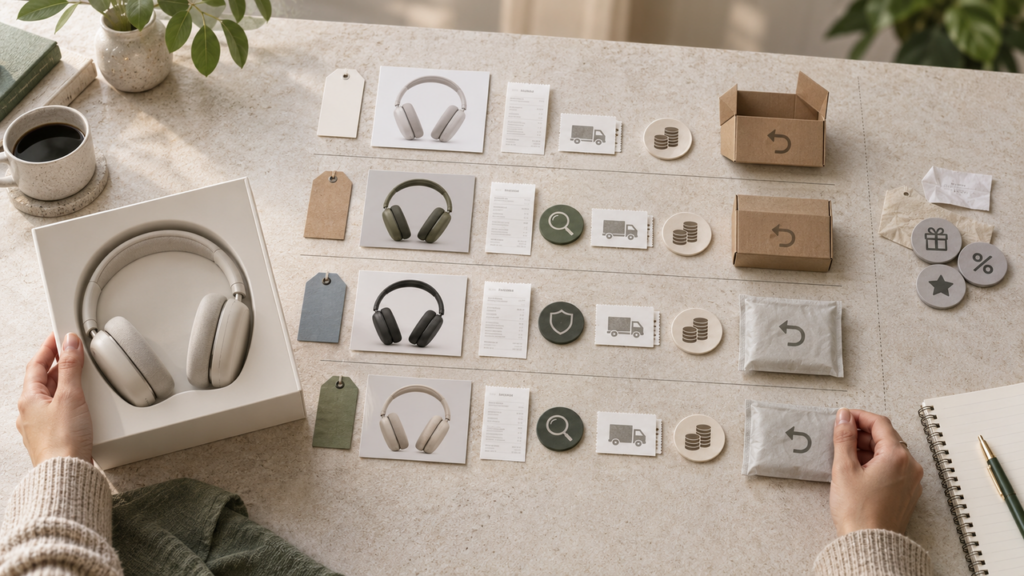
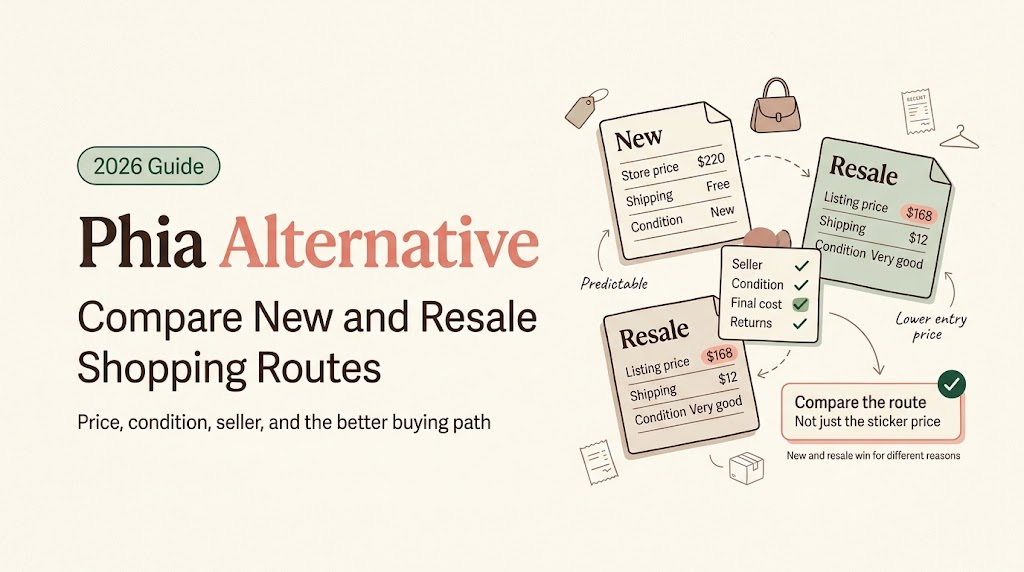
Build one row for the new route and one for each credible resale route. Use the amount payable at checkout: item price, accepted offer if confirmed, platform or buyer fee, authentication charge, shipping, tax, and disclosed import costs. Keep unaccepted offers and estimated rewards outside the total.
Returns deserve equal space. Record whether returns are allowed, the deadline, accepted reasons, return-shipping responsibility, restocking costs, and whether fit or changed mind qualifies. New retail and resale routes often differ sharply here. A final-sale item can be reasonable, but its lower price carries more fit and condition risk.
Use this compact resale price comparison:
| Field | New route | Resale route |
| Exact item and size | Confirmed or no | Confirmed or no |
| Condition | New | Platform label plus notes |
| Payable total | Cart amount | Cart amount |
| Authentication | Seller or brand route | Program and eligibility |
| Returns | Deadline and cost | Deadline, reason, and cost |
| Delivery | Date and carrier | Estimate and handling time |
Authentication and returnability are separate. A platform may inspect whether an eligible item is authentic yet still apply seller return settings, category exclusions, final-sale rules, or claim deadlines. Read the listing and program policy before paying.
Which route fits your purchase?
Choose Phia when you want a retail-and-resale view from the item already on your screen and its supported app or extension fits your device. Choose Beni when secondhand alternatives and filters such as returnability are the central job. Choose Lens when your best input is a screenshot. Search marketplaces directly when precise filters, offers, sold listings, and platform policies matter more than speed.
You can combine routes without treating one as the winner. Lens might identify a style name, Beni might reveal participating resale listings, and a direct search might confirm seller terms. Restart when results mix sizes, materials, seasons, or accessories.
My cutoff is simple: if the cheaper route requires guessing about identity, condition, or returns, it is not ready for checkout. The right Phia Alternative is the route that reduces the uncertainty your purchase actually has.
FAQ
Can Beni find alternatives when the original retail item is sold out?
Yes, when Beni supports the product page and has relevant marketplace results. Its workflow says it can surface live resale listings from sold-out or over-budget retail pages. Availability still depends on current partner inventory, and a surfaced item may be similar rather than exact. Recheck size, condition, seller, and listing status on the marketplace.
Can Google Lens search from a screenshot instead of a live page?
Yes. Save the screenshot as an image, upload it to Lens, and crop around the product. Add brand, color, material, or category words when known. A screenshot can locate visually related results, but it may not reveal the original model, so verify every candidate against reliable product details.
Can I compare a resale listing that accepts seller offers?
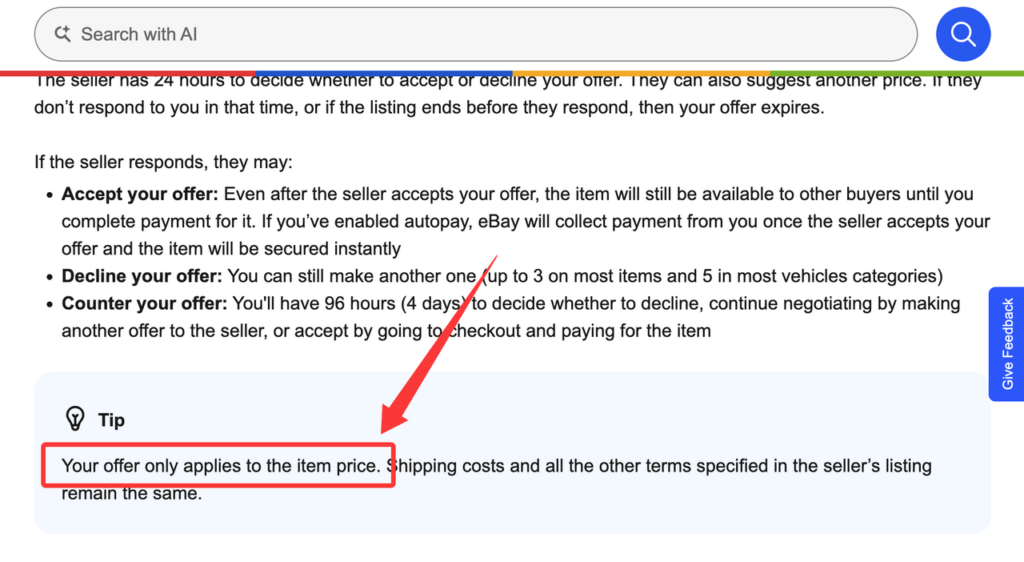
Yes, but keep the listed price and your proposed price separate. An offer is conditional until accepted. eBay’s current Best Offer help notes that the offer applies to the item price while shipping and other listing terms remain. Rebuild the payable total after acceptance and before payment.
How should I value a listing with missing tags or accessories?
Lower your confidence before lowering the price. Ask which tags, dust bags, straps, boxes, certificates, spare parts, or receipts are absent. Compare it only with similarly incomplete items and consider replacement cost where a legitimate replacement exists. Do not apply a universal percentage deduction; desirability and function vary by item.
Does a marketplace authenticity check also guarantee a return?
No. Authentication asks whether the item meets a program’s authenticity and listing checks; returns follow separate rules. eBay’s Authenticity Guarantee help tells buyers to check whether the seller accepts returns and notes that some items have final-sale limits. Verify eligibility, return reasons, deadlines, and item-condition requirements before checkout.
Your next step
Take the exact item you want and run it through one visual or assistant route, then verify the strongest result directly on its marketplace. Match size, condition, seller, payable total, authentication, and returns. That is how a Phia Alternative earns its place: not by promising the biggest saving, but by making the new-versus-resale decision easier to defend.
Related posts: